
Spinning Up Databases, Firewalls, and Backups — The Story of DataBridge
How a simple deployment doubt turned into a fully automated PostgreSQL platform
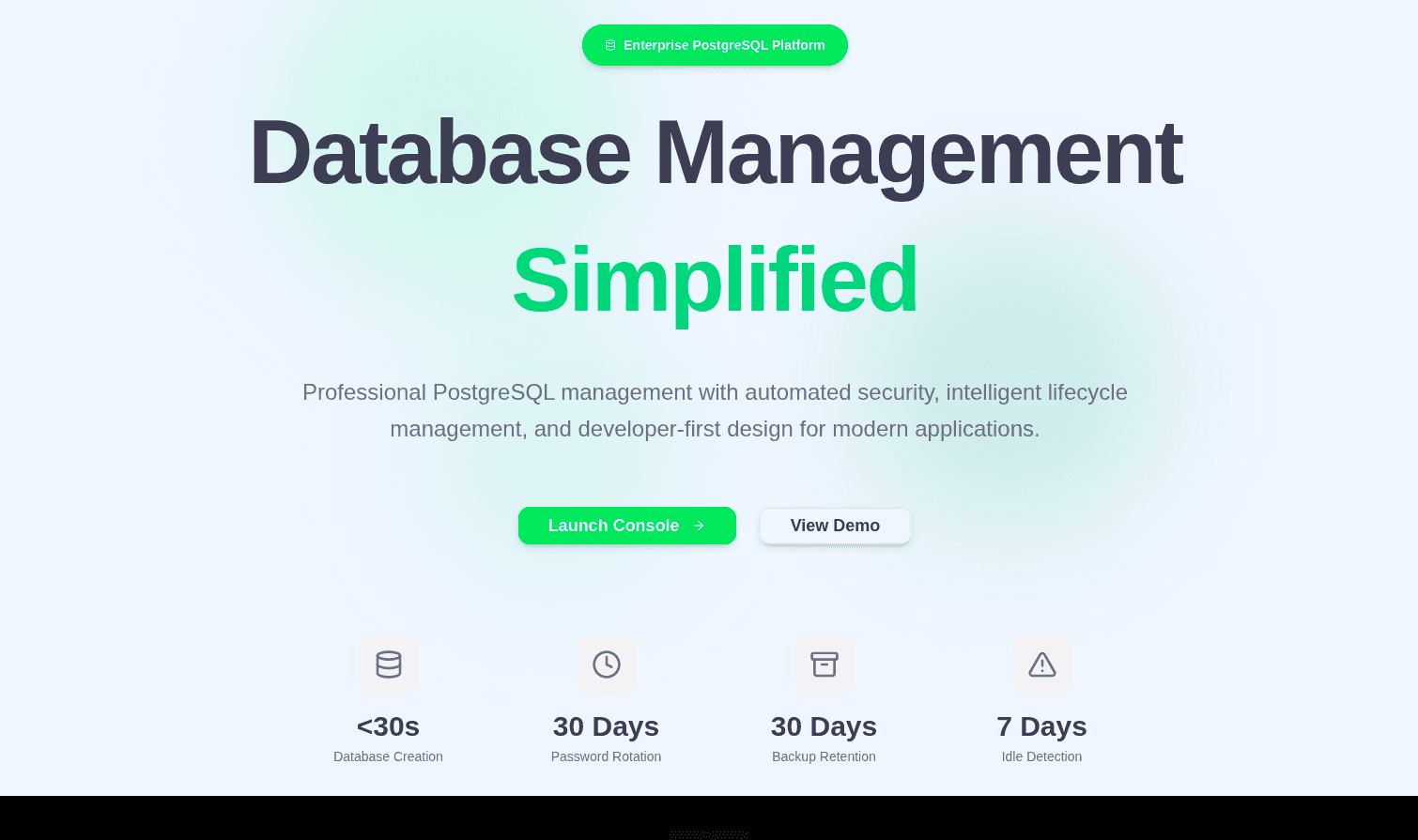
How It All Started
It all began with one random thought while I was procrastinating a deployment. I was sitting there wondering — is 512 MB of storage from Supabase or NeonDB’s free tier really enough for my project? Or should I host my own Postgres database on a VPS?
I had $200 worth of GitHub Student credits sitting in DigitalOcean, so that option was tempting. But then reality hit: what about security? Backups? If I self-hosted, I’d have to spin up the database manually, handle access rules, and somehow manage visualization too. Which meant firing up npx prisma studio every time after pasting the connection string into an .env file. Pain.
That’s when the lightbulb moment hit , why not build my own database provider platform? One place where I could spin up databases, manage IP rules, automate backups, and maybe even handle data visualization , all from a clean web interface. It sounded overkill at first, but also kind of fun.
Then the doubt crept in: is this even possible for me to build? am I good enough for that?
And that’s exactly how DataBridge was born: out of hesitation, caffeine, and curiosity.
Now let’s talk about how it evolved : the thought process, the challenges, and the very questionable decisions that somehow worked.
Project Skeleton and Architecture Initialization
Everything starts from a template. You first set up the basic utilities you know you’ll need before getting into the actual business logic. That’s exactly what I did.
For the backend, I started by setting up an Express app and attaching tRPC to it. Later, I integrated Passport.js for GitHub OAuth. After that, I configured middlewares for both Express and tRPC so authenticated routes would work smoothly.
I also extended the codebase to include a few base classes. One handled standardized responses for both Express and tRPC, so I could maintain a consistent response structure across the project. Another handled custom error classes, keeping error management predictable and debugging less painful later.
On the frontend side, I kept things simple. Just a clean layout with a sidebar and a Zustand store to maintain the user state. Nothing flashy yet, just enough to get the system moving.
Then came the more interesting part , the project-based database instance architecture.
Every time a user created a new project on my platform, I used a superuser credential to spin up a new PostgreSQL database. Each one came with a randomly generated username (unique per project) and a completely random password.
At this point, I had a small concern. If a user got their connection string, they might use it to spin up another database manually, which could cause issues. To prevent that, I added a simple clause to the PostgreSQL query: NOCREATEDB. This made sure users couldn’t create new databases on their own.
That felt like a solid fix… for a few minutes. Then I realized another problem.
In development mode, whenever Prisma applies schema changes, it creates a shadow database to track migrations. Since my project users didn’t have CREATEDB permission, Prisma immediately failed.
So I had to remove the NOCREATEDB restriction in development mode. It wasn’t ideal, but it let me move forward and keep building. I noted it down as something to revisit once the core system was stable.
Enabling Search, Batch Update, and Delete on Tables
I spent the next two days deep in PostgreSQL queries. The goal was to give users not just table visualization, but also the ability to perform full CRUD operations on their data. Every proper DBaaS does that, and I wanted DataBridge to feel complete.
So I decided to mimic that behavior. The idea was simple: for each table, I’d track its primary key, mark that column as non-editable, and allow users to modify only the other columns.
For example, suppose there’s a table called user with columns id, name, email, and age.
If a user wanted to update the name, I’d map the object using the primary key as the identifier and the updated values as the payload.
Here’s what it looked like in practice:
const dataToBeUpdated = {
  123456: {
    name: "Vineet"
  }
};
Using this structure, I could batch update multiple rows in one go. For each primary key, the system would map its corresponding updated data, transform it into an array, and then apply updates using a CTE (Common Table Expression).
This method made the update flow efficient and predictable while still giving users control over their table data.
After that, I also implemented the Delete functionality , allowing users to remove selected rows directly from the interface, again using the same safe query pattern.
Monitoring and Modified Access of User Databases
Live Monitoring Dashboard: https://monitoring.databridge.unknownbug.tech
Today was all about visibility. I integrated Prometheus, Loki, and Grafana into the platform to monitor everything happening inside the system, from query performance to server resource usage. The idea was to make sure I could see how every part of the infrastructure behaved under real workloads.
Until now, I was using the superuser credentials for almost every operation, including reading data from user project databases. That felt convenient but unsafe in the long run. So I changed the approach.
Now, every operation that reads or interacts with a user’s project data runs using the user’s own credentials. This separation prevents unnecessary privilege escalation and makes the system cleaner and more secure.
It was a small change in code, but a big one in design philosophy, from “make it work” to “make it reliable and accountable.”
Security 0.1 : Preventing SQL Injection
One of the first security layers I focused on was protecting the platform against SQL injection. Since most user actions , like searching, updating, or deleting rows , eventually ran raw SQL queries, it made sense to handle this properly before scaling further.
To fix this, I started using the pg-format package to parameterize every user input used in queries. Whether it was a search filter, a batch update, or a delete request, each input was sanitized and formatted safely through pg-format before execution.
This change eliminated the risk of malicious input sneaking through query strings and also made my query logic a lot cleaner. It was one of those small updates that quietly made the whole system feel more production-ready.
Security 1.0: Database Password Rotation
This was one of those features that started with a random thought and turned into a whole architecture lesson. I was thinking about how to automatically rotate database passwords every month, but I honestly had no clue how to manage recurring tasks like that without creating some messy loop or a bunch of cron jobs that would eventually break.
That’s when I stumbled into event-driven architecture and started learning about queues. It clicked instantly, queues could handle delayed jobs, retries, and scheduling without overcomplicating the main flow. So I decided to integrate it here.
Now, whenever a user creates a new project, a job is added to the queue for password rotation with a delay of 30 days.
When that delay finishes, the worker automatically triggers a password rotation using pg commands, updates the stored credentials in the system, and then pushes a new job into the same queue with another 30-day delay.
This loop keeps running forever, making sure every project gets a fresh database password every 30 days starting from its creation date. It’s all automated, secure, and event-driven — no manual work, no static schedules.
What started as a random “how the hell do I even do this” moment ended up being my first real use of event-driven design inside the platform.
Notification Management
Once the queue system was in place, it made sense to extend that logic to handle notifications too. I wanted the platform to automatically inform users about key events , like password rotations, database status changes, or upcoming deletions , without me wiring separate functions for each use case.
So I built a notification queue that manages all notifications and categorizes them by platform, such as email and discord.
And yes, I actually went ahead and implemented Discord integration by designing a custom bot for the platform. It was one of those fun side features that turned out to be surprisingly useful.
Each notification job pushed into the queue carries two key pieces of information:
A job name (like
password_rotated,database_deleted, etc.) to identify which type of message needs to be sent.An array of platform names indicating where the notification should go.
For example, when a password rotation happens, a job is inserted into the queue with something like:
{
  jobName: "password_rotated",
  platforms: ["mail", "discord"]
}
The worker picks up this job and routes it to the respective integrations. If the user has connected Discord, the message is also sent through the bot in addition to email.
This design kept the notification flow flexible and scalable , I could add new platforms later (like Slack or Telegram) without rewriting any of the core logic.
Platform Resource Optimization: Idle Database Detection
After building the core features, I started thinking about how to optimize platform resources. Databases sitting idle for weeks made no sense, they still consumed storage, memory, and compute. So I decided to automate the process of detecting and handling idle databases.
I created a cron job using the node-cron package to run daily checks. It scans all projects to see if any database has been inactive for the last 30 days. If it finds one, the platform automatically pauses that database and pushes a notification to the user through both mail and Discord by sending metadata into the notification queue.
After pausing the database, the system also inserts a new job into another queue named delete_database, this time with a delay of 7 days , basically a 7-day grace period.
When the worker eventually picks up that job, it fetches the project metadata again.
If the database is still inactive, it deletes it permanently.
If the user has resumed any activity on it during those 7 days, the deletion is skipped and the database stays active.
To make it user-friendly, I added a “Resume Database” button right on the dashboard so users can bring their paused databases back online anytime.
This feature saved both compute costs and clutter while keeping users in full control of their data , a good balance between automation and ownership.
Security 1.5: Encrypted User Database Credentials
After setting up password rotation, I realized another weak spot in the system , the database credentials themselves. Even if passwords were changing every 30 days, they were still stored in plain text at rest. That didn’t sit right with me.
So I built a small encryption service to handle credential security. It uses the AES-256-GCM algorithm to encrypt all database credentials before storing them anywhere inside the system.
Now, every time user credentials are written to the database, they’re first passed through this encryption layer. The decrypted version is only fetched at runtime, when absolutely required , for example, when establishing a database connection or performing rotation.
This way, even if someone somehow gained access to the database, all they’d see would be encrypted blobs instead of readable credentials. Simple idea, but it added a strong layer of safety without overcomplicating anything.
Database Backups
Once credentials were secured, the next step was to make sure no data was ever lost. I implemented another queue dedicated to generating database backups automatically.
Each project gets its own backup schedule starting from the day it’s created. The queue triggers a backup job every 7 days. These backups are stored for 30 days only after that, they’re automatically removed to save space.
To handle cleanup, I added a cron job that runs daily at midnight. It scans for backups older than 30 days and deletes them from the system.
On the frontend, users get a clean interface to view and download their backups directly from the dashboard.
Under the hood, each backup is generated using the pg_dump command. The dump file is stored temporarily on the server, compressed, and then uploaded to Cloudinary. I used signed URLs for secure access. Once the upload is complete, the local backup file is deleted from the server to avoid clutter.
When a user clicks “Download Backup,” the backend fetches the corresponding record, generates a temporary signed URL from Cloudinary, and returns it. That link stays valid for only 5 minutes , enough time to download, but short enough to stay safe.
It’s fully automated, lightweight, and reliable, the kind of system that just quietly works in the background while users sleep.
Security 2.0: IP Firewall Rules Per Project
This part felt like the final boss of security , IP rules. It ended up solving a bunch of platform and user issues in one go, but getting there was way harder than it looked.
The main problem was simple on paper: I wanted to let users whitelist IP addresses for their individual databases. The catch? Postgres doesn’t support per-database IP restrictions out of the box. If I restricted the entire server to one IP, no one else would be able to access their databases.
That sent me digging through Postgres docs until I discovered the pg_hba.conf file , the core file that controls host-based authentication. If I could edit it dynamically, I could configure custom IP rules for each user project directly from there.
At first, it wasn’t that easy. I was already using a Docker volume mounted at /var/lib/postgres/data to persist database data between container restarts. Luckily, that’s also where pg_hba.conf lives. My first idea was to mount another volume to copy an updated version of the file there, but the data volume kept overwriting it.
I needed both volumes , one for the main database data and another for the dynamic configuration , to coexist without stepping on each other. The breakthrough came when I realized I could modify the postgresql.conf file to change the reference path for pg_hba.conf.
So I reconfigured Postgres to look for it in /var/lib/postgres/conf instead of the default location. After that, everything finally worked the way I wanted.
Now, every time a project is created, the system automatically adds an entry for it in the pg_hba.conf file with 0.0.0.0/0 so it’s publicly accessible by default. When users add or modify IP rules from the dashboard, the file is updated dynamically, and the Postgres server reloads with the new configuration.
The best part is how it indirectly solved another issue:
If someone somehow managed to create a database manually using the connection string, it wouldn’t have a matching entry in the pg_hba.conf file. That means it wouldn’t be accessible from anywhere, and my automated cleanup system would detect and remove it on its own.
It was messy, painful, and required more Docker restarts than I’d like to admit, but once it worked, it made the entire security layer feel airtight.
Optimization of pg_hba.conf Updates
Once the dynamic IP rules started working, a new challenge appeared concurrent updates.
If one user added a new IP rule, the platform would immediately rewrite the pg_hba.conf file and trigger a Postgres reload. Doing this for a few users wasn’t a big deal, but I realized that if 100+ users tried adding or updating IP rules around the same time, it could start to hurt performance.
So instead of reloading the Postgres server instantly for every update, I implemented a smarter solution. I set up a cron job that runs every hour and rewrites all the IP rules directly from the database. This way, users might have to wait up to an hour for their new IP rule to become active, but it keeps the server stable and avoids unnecessary reloads.
Then came the second edge case. What if, in that one-hour window, no changes had been made at all? Running a reload for no reason would still waste resources.
To fix that, I added a simple dirty bit service. Every time an IP rule is added or removed, it marks a flag as “dirty.” When the hourly cron job runs, it checks that flag first.
If it’s dirty, it knows something changed and proceeds to reload the IP rules.
If it’s clean, it skips the update completely.
This small mechanism made the whole system more efficient and reliable , no redundant reloads, no downtime, and zero stress even under heavy usage.
Wrapping It Up
Looking back, DataBridge started from one random thought while I was procrastinating a deployment and somehow turned into a complete DBaaS platform with automation, monitoring, security, and event-driven systems holding it all together.
Every feature I built taught me something new. Half the time I was just figuring things out as I went learning how queues work, breaking Docker volumes, debugging pg_hba.conf reloads at 2 a.m., and accidentally discovering half the architecture through mistakes.
But that’s what made it fun. DataBridge isn’t just another side project. It’s the story of how curiosity, confusion, and a few bad ideas eventually evolved into something real , a system that builds, monitors, protects, and cleans itself.
And maybe that’s the whole point , you don’t always need to know where you’re going. Sometimes you just start building, and the architecture finds you.
Live Demo : https://databridge.unknownbug.tech
Source Code : https://github.com/MrVineetRaj/databridge